DONT SPLASH Wiki
DONT SPLASH is a Roblox horror obby set in eerie poolrooms. The blind entity cannot see players, but it hears every splash. Cross sinking platforms, use pebbles and tools to distract it, solve valve puzzles, unlock upgrades, and escape before the water gives you away.
DONT SPLASH Wiki Resources
Jump straight to the codes, guides, mechanics, and secrets you need to escape the poolrooms
Latest Updates
Discover the newest guides, tips, and content
DONT SPLASH Rescue Rope: Usage Guide & Team Tactics
Learn how the rescue rope works in DONT SPLASH, when to throw it, how it saves teammates from the water, and how to combine it with sound discipline.
DONT SPLASH Upgrades: Priority Guide & Best Picks
DONT SPLASH upgrades explained: Tool Slot, Throwing Range, Rescue Speed priorities, resource costs, and the best upgrade path for every stage.
DONT SPLASH Pebbles: Uses, Timing & Throwing Tips
Learn how to use pebbles in DONT SPLASH to distract the blind entity, plan safe throws, and cross sinking platforms without giving away your position.
DONT SPLASH Tools: Uses, Timing & Best Combos
Learn every DONT SPLASH tool - Pebble, Flare, Rope and Toy - including when to use each one, how to distract the entity, and the best tool combos.
DONT SPLASH Map: Poolrooms Route Walkthrough & Navigation Tips
Learn how to navigate the DONT SPLASH poolrooms map: route phases, landmark tracking, safe crossings, and danger-response paths in this Roblox horror obby.
DONT SPLASH: Beginner Survival Tips & Tricks
DONT SPLASH survival tips: master water and sound mechanics, evade the blind entity, cross poolrooms safely, and use tools to escape.
DONT SPLASH Walkthrough: Step-by-Step Route & Survival Tips
A complete DONT SPLASH walkthrough: poolrooms route phases, sound-based entity rules, tools, escape tactics, and safe exploration strategies for Roblox
DONT SPLASH: Poolrooms Survival Tips & Tricks
DONT SPLASH survival guide: master water and sound mechanics, avoid the blind entity, cross poolrooms safely, and use tools and upgrades to escape.
DONT SPLASH No Commentary Walkthrough: Full Route Tips
A no-commentary style walkthrough of DONT SPLASH: stage-by-stage routes, sound mechanics, entity behavior, tools, and quiet-movement tips to escape
DONT SPLASH Beginner Guide: Survival Basics & First Escape Tips
Learn DONT SPLASH basics: sound-based entity rules, poolrooms navigation, splash control, and beginner survival tips for your first successful escape.
DONT SPLASH Level Walkthrough: Stage-by-Stage Route Tips
A stage-by-stage DONT SPLASH level walkthrough covering poolrooms routes, valve puzzles, sound control, and safe exits from every waterlogged area.
REDEEMABLE REWARDS
DONT SPLASH Codes
DONT SPLASH has no public redemption codes yet. This tracker keeps every release in one place, explains what each code unlocks, and shows exactly where to redeem future drops the moment they appear.
No rewards are available to claim right now. The developer has not released any codes for DONT SPLASH.
- 1Launch DONT SPLASH from its official Roblox game page
- 2Look for a codes or redemption button in the game interface
- 3Enter each code exactly as published, matching capitalization
No expired code list exists yet. When a code stops working, it will be retired here so you never waste an entry.
- 1Check a code's status before entering it
- 2Retired codes cannot be reused
- 3Skip codes copied from other Roblox games - they will not work here
New codes drop alongside updates and seasonal events. This page adds them the day they go live.
- 1Follow the official DONT SPLASH game page for announcements
- 2Copy each new code exactly as published
- 3Redeem it in-game as soon as possible after release
START HERE
DONT SPLASH Beginner Guide
DONT SPLASH drops you into flooded poolrooms where the blind entity hunts by sound alone. This starter guide covers calm exploration, smart route choices, and how to keep your splash level down.
Orient Yourself Before Moving Far
At the start of a run, read the corridors, pools, and wall patterns around you. Pick one route at a time instead of wandering into every open passage.
- Use corners and room shapes as landmarks
- Remember the last safe area you passed
- Check nearby options before committing to a long route
Explore in Short Sections
Move from one recognizable area to the next, then pause to listen and reassess. Short exploration cycles make it easy to backtrack when a route turns dangerous.
- Keep a mental record of major turns
- Avoid sprinting through unfamiliar water
- Use quiet pauses to detect approaching danger
Stay Quiet to Stay Undetected
The entity cannot see you, but it hears every splash. When you suspect danger, slow down, limit unnecessary movement, and use cover to break direct exposure.
- Skip jumps that have no clear purpose
- Do not create repeated splashes while deciding where to go
- Prioritize distance and concealment over raw speed
CORE MECHANICS
DONT SPLASH Water and Sound Mechanics
Every splash tells the entity where you are. Learn how water movement, jumps, turns, and sprints change your noise level so you can cross the poolrooms without being heard.
Wading and swimming create audible splashes that can reveal your position.
Cross exposed water deliberately and avoid repeat passes through the same stretch.
Plan your exit direction before entering a noisy section so you spend less time in open water.
Jumping
Jumps land hard in a water-filled map and add bursts of noise.
Jump only when it clears an obstacle or unlocks a route.
While hiding or listening, stay completely still instead of hopping around.
Fast turns and sudden route changes keep you exposed and noisy at the worst time.
Look and listen before committing to a new corridor.
Use corners as observation points and decide your next move before leaving cover.
Running From Danger
Sprinting buys distance but broadcasts your route through splashes.
Run only when escape is immediate, then slow down once you reach safer ground.
Choose escape paths with corners, cover, or a known fallback area.
ROUTE PLANNING
DONT SPLASH Map Walkthrough
The poolrooms loop and repeat, so navigation matters more than speed. This walkthrough breaks a full run into four phases with clear objectives, route advice, and hazard warnings.
Starting Area
Lock in a reference point before pushing into the corridors.
Find the first major opening, pool edge, or distinctive wall pattern and treat it as your home fallback point.
Leaving without noting your starting direction makes every later backtrack harder.
First Corridor Network
Explore nearby branches while keeping a clean return route.
Check one branch at a time, pause at turns, and tell branches apart by their geometry. Return to your last known point before trying the next branch.
Look-alike corridors create loops, and moving through water makes careful observation harder.
Open Water Sections
Cross exposed areas with a fixed destination and minimal movement.
Scout from the edge first, then move straight for the next landmark with a retreat direction in mind.
Large open water offers nowhere to hide and makes sound detection deadliest.
Escape Route
Reach the exit by solving the final valve sequence without drawing attention.
Save sprinting for the last stretch, keep your splash level low on approach, and commit to the valve puzzle once the area is clear.
Blind sprints near the exit can pull the entity into the valve room and trap you mid-puzzle.
THREATS & ENCOUNTERS
DONT SPLASH Monster Guide
The thing hunting you in DONT SPLASH is blind - it finds players entirely by sound. Understand its warning signs, pursuit behavior, and the mistakes that turn close calls into catches.
Warning Signs
Ambient audio shifts, repeating sound cues, and sudden movement in the water signal that an encounter is starting.
Stay sharp when the background loop changes or a distinct sound repeats nearby.
Tuning out audio just because nothing is visible yet.
Once the entity locks onto your splashes, survival depends on movement discipline, not panic.
Treat every exposed route as reachable until you confirm a barrier or a safe transition.
Spinning in circles and losing forward momentum.
Pebbles and thrown toys let you fake a splash elsewhere and pull the entity off your route.
Bait from cover, then move along the quiet side while it investigates the noise.
Throwing bait into your own escape corridor.
CONTROLS & SETUP
DONT SPLASH Controls and Settings
Quiet movement starts with comfortable controls. Compare the default Roblox inputs across platforms and tune audio and brightness before you wade into the dark.
| Action | Computer | Mobile | Other Platforms |
|---|---|---|---|
| Move | W, A, S, D | Virtual thumbstick | Platform-standard movement control |
| Look Around | Mouse movement | Drag on the touch screen | Right stick or platform camera control |
| Jump | Spacebar (when enabled) | Jump button (when enabled) | Standard platform jump input |
| Crouch | Experience-specific key (if available) | Experience-specific button (if available) | Experience-specific crouch input (if available) |
| Interact | Prompt key or experience-specific input | On-screen interaction prompt | Prompt or platform-specific input |
| Audio & Display | Roblox and in-game settings | Roblox and in-game settings | Platform audio and display settings |
Recommended Setup
- Move: Keep movement inputs unobstructed and pick a thumbstick position you can hold steady.
- Look Around: Use moderate camera sensitivity so you can check behind you without overcorrecting.
- Jump: Keep jump easy to reach, but never use it as a substitute for finding a route.
- Crouch: Check the control layout before a run - crouch is not a universal Roblox action.
- Interact: Center the camera on valves, doors, and objects before activating them.
- Audio & Display: Use headphones, keep effects audible, and raise brightness only enough to read nearby surfaces.
BADGES & EXPLORATION
DONT SPLASH Badges and Secrets
Optional content rewards careful exploration. Sweep side rooms, test unusual objects, and chase Roblox badges with light hints first and full steps on demand.
SEASONAL UPDATE
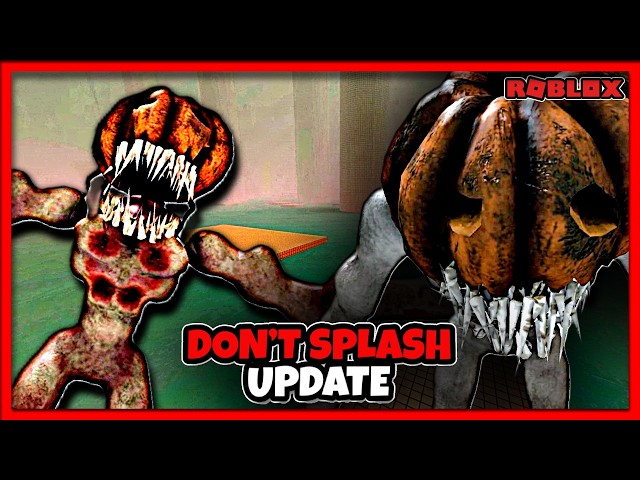
DONT SPLASH Halloween Update Guide
The Halloween season repaints the poolrooms with pumpkin accents, new routes, and limited rewards. Sort what is permanent from what disappears when the event ends.
Seasonal Visuals
PresentationEvent lighting, themed props, and pumpkin decorations reskin the poolrooms for the Halloween period.
Limited-time - seasonal visuals may be removed after the event.
Screenshot unusual decoration spots before you leave an area.
Event Areas & Routes
ExplorationDecorated side routes and temporary spaces open up around the seasonal update.
Available while the event runs unless the developer makes them permanent.
Compare event routes with the normal layout so temporary detours are not mistaken for map expansion.
Halloween Rewards
RewardsEvent-linked badges and collectibles require playing during the Halloween window.
Some rewards become unavailable after the event ends.
Clear reward objectives before spending time on unrelated exploration.
Permanent vs Temporary
Update ImpactLasting system changes stay after the event; decorations, event areas, and limited rewards rotate out.
Permanent systems remain; seasonal features depend on the active update.
Recheck the game after the event to see which routes and rewards survived.